Introduction
Lately I was trying to put together some 2D histograms in R and found that there are many ways to do it, with directions on how to do so scattered across the internet in blogs, forums and of course,
Stackoverflow. As such I thought I'd give each a go and also put all of them together here for easy reference while also highlighting their difference. For those not "in the know" a 2D histogram is an extensions of the regular old
histogram, showing the distribution of values in a data set across the range of two quantitative variables. It can be considered a special case of the
heat map, where the intensity values are just the count of observations in the data set within a particular area of the 2D space (bucket or bin). So, quickly, here are 5 ways to make 2D histograms in R, plus one additional figure which is pretty neat. First and foremost I get the palette looking all pretty using
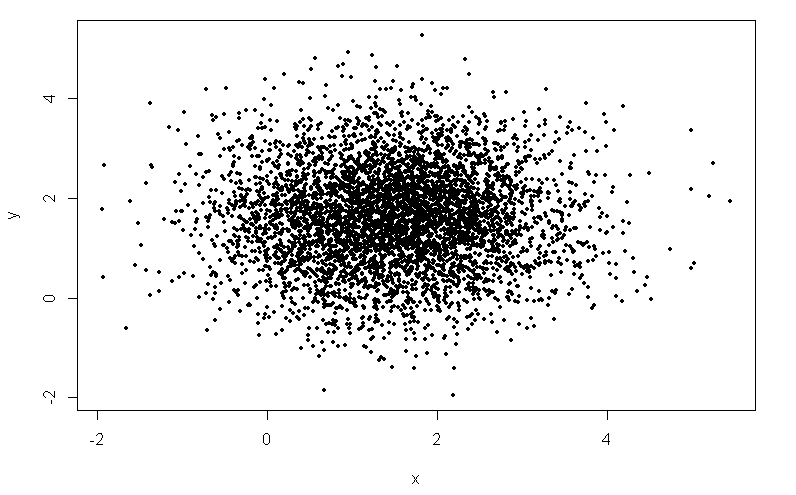
RColorBrewer, and then chuck some normally distributed data into a data frame (because I'm lazy). Also one scatterplot to justify the use of histograms.
# Color housekeeping library(RColorBrewer) rf <- colorRampPalette(rev(brewer.pal(11,'Spectral'))) r <- rf(32) # Create normally distributed data for plotting x <- rnorm(mean=1.5, 5000) y <- rnorm(mean=1.6, 5000) df <- data.frame(x,y) # Plot plot(df, pch=16, col='black', cex=0.5)
Option 1: hexbin
The
hexbin package slices the space into 2D hexagons and then counts the number of points in each hexagon. The nice thing about
hexbin is that it provides a legend for you, which adding manually in R is always a pain. The default invocation provides a pretty sparse looking monochrome figure. Adding the colramp parameter with a suitable vector produced from colorRampPalette makes things nicer. The legend placement is a bit strange - I adjusted it after the fact though you just as well do so in the R code.
##### OPTION 1: hexbin from package 'hexbin' ####### library(hexbin) # Create hexbin object and plot h <- hexbin(df) plot(h) plot(h, colramp=rf)
Using the
hexbinplot function provides greater flexibility, allowing specification of endpoints for the bin counting, and also allowing the provision of a transformation functions. Here I did log scaling. Also it appears to handle the legend placement better; no adjustment was required for these figures.
# hexbinplot function allows greater flexibility hexbinplot(y~x, data=df, colramp=rf) # Setting max and mins hexbinplot(y~x, data=df, colramp=rf, mincnt=2, maxcnt=60)