See the Big Picture: Full-Score Viewing is Here!
SmartMusic 2026-03-10
Teachers, we heard you loud and clear. While the ability to focus on individual parts and receive real-time assessment is the bread and butter of practice, you also need to get your entire class practicing together.
Today, we are thrilled to announce the arrival of Full-Score Viewing for user-generated content (created in Compose or .musicxml uploads). Now, you can display your content from Compose directly within the MakeMusic Cloud platform.
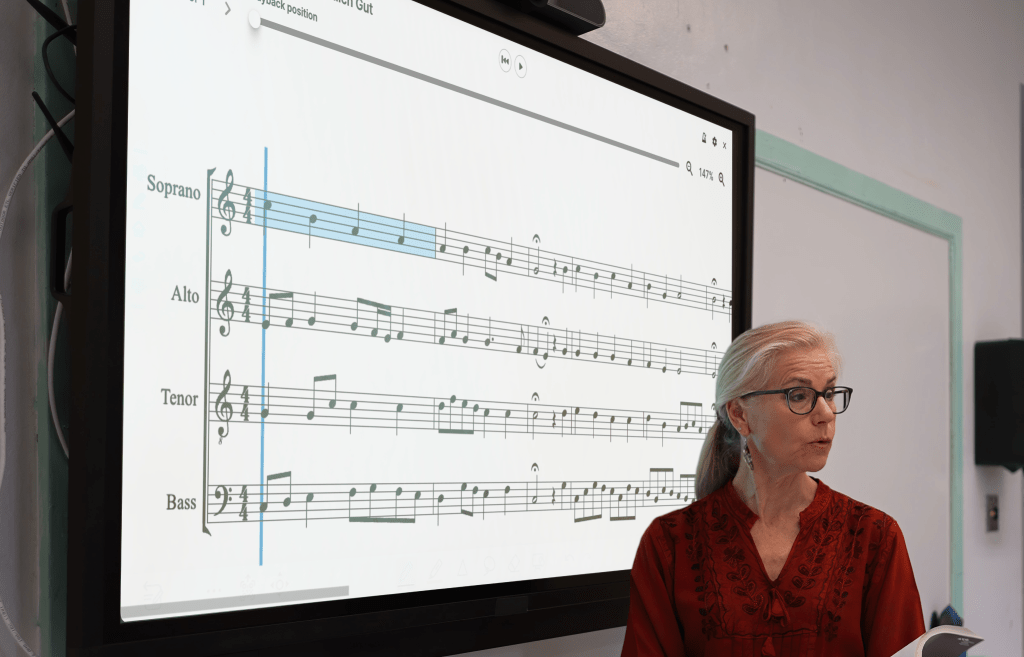
Why Full-Score Viewing Changes the Game
Whether you are standing at the podium or facilitating a remote sectional, having the “birds-eye view” of your music is transformative. This feature isn’t just a convenience; it’s a powerful instructional tool designed to streamline your rehearsals.
- Perfect for Choral Directors: Your class will be in perfect harmony. Choral teachers can now display all voices simultaneously from user-generated content, making it easier to troubleshoot issues and demonstrate how vocal lines weave together.
- Enhanced Score Study: Analyze orchestration, check doublings, and identify potential trouble spots across the entire ensemble while they play.
- Real-Time Modeling: Use the full-score during class to show students how their specific part interacts with the rest of the group, fostering a deeper sense of ensemble awareness. How it Works (and What You Need to Know)
Currently, Full-Score Viewing is available for user-generated content. This means any music you have uploaded via MusicXML or created in Compose can be viewed in full-score mode. We are working hard to expand this feature to the Music Catalog as well!
Get Started in Seconds
Ready to see your music in a whole new way? We’ve made it incredibly simple to switch views. When you open a piece in Compose, you’ll see a new option in the Display tab to toggle from “Part” to “Full-Score.”
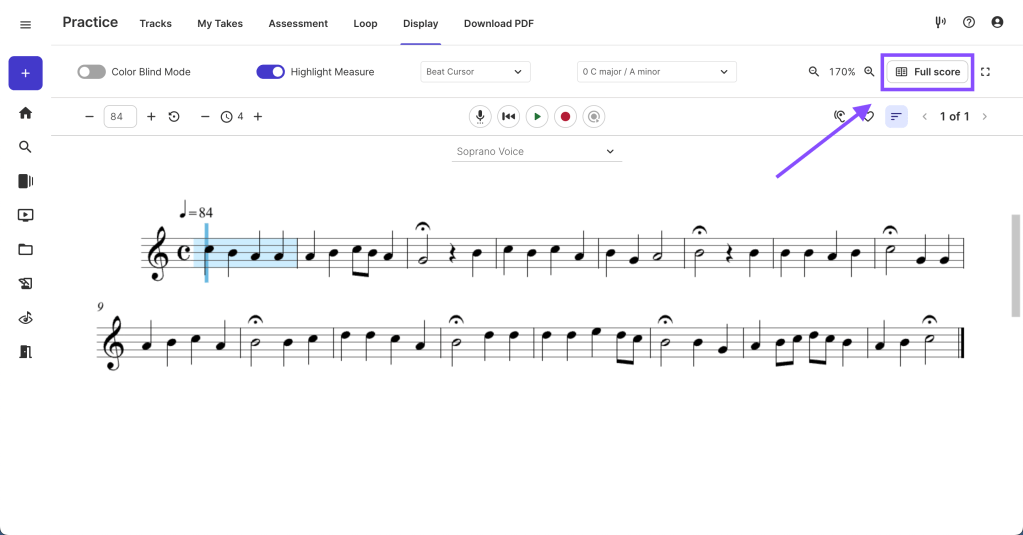
Try it Out Now!
Don’t just take our word for it, you can experience full-score viewing for yourself. Here’s a sample choral piece you can use to see this new feature now. Simply download the file below, upload via XML import into Compose, open the piece in the Practice app, and turn on full-score mode!
We can’t wait to hear how this helps you and your students reach that “aha!” moment in your next rehearsal. Happy making!
The post See the Big Picture: Full-Score Viewing is Here! appeared first on MakeMusic.